


Description
Download AirRadar – advanced wireless network scanner, free & secure Wi‑Fi discovery
AirRadar is a lightweight yet powerful wireless network scanner designed for macOS users who need a fast, reliable way to locate and connect to Wi‑Fi hotspots. Whether you’re at a coffee shop, airport lounge, or working from home, AirRadar quickly reveals every visible network, displays signal strength and noise levels, and lets you organize favorites for one‑click access. The app offers a clean interface, real‑time graph monitoring, and customizable filters, making it a solid alternative to the built‑in Airport utility. AirRadar runs securely, receives regular updates, and works on macOS 10.13 and later, providing a seamless experience for both casual surfers and IT professionals.
Key Features of AirRadar
- Instant Network Scan: Start scanning with a single click and watch nearby Wi‑Fi networks populate the list in seconds.
- Signal & Noise Graph: Real‑time visual graph shows both signal strength and background noise, helping you pick the cleanest connection.
- Favorites Management: Save preferred networks to a favorites list for instant connection without re‑searching.
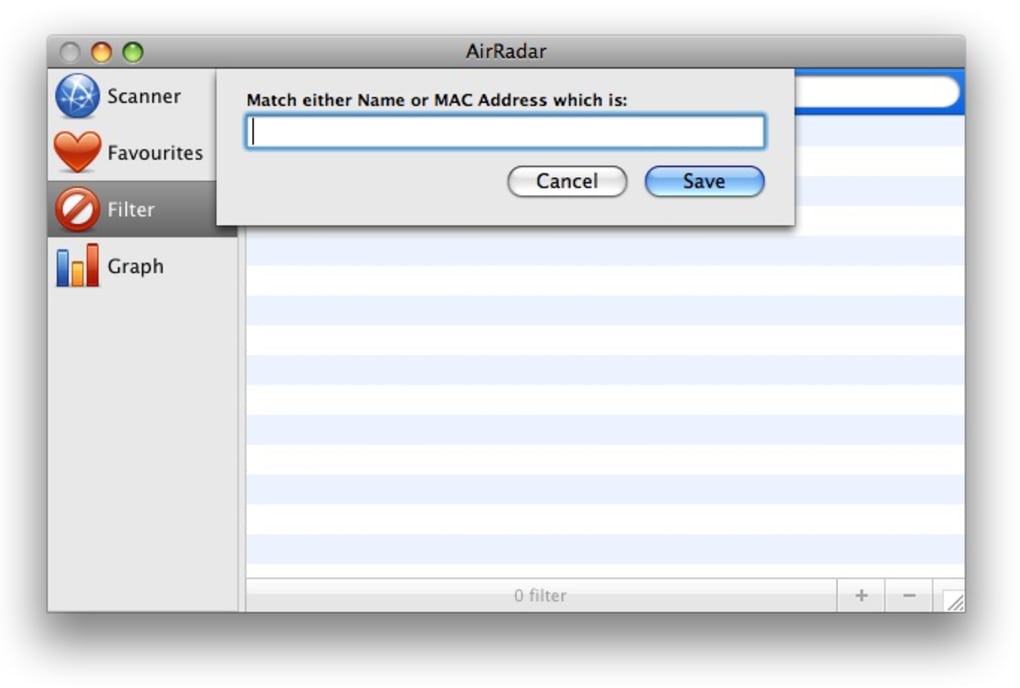
- Custom Filters: Exclude networks you never want to see (e.g., known intruders or low‑quality hotspots) using flexible filter rules.
- Hidden SSID Detection: Search by partial name or MAC address to reveal hidden networks that do not broadcast their SSID.
- Search Box: Quickly locate a specific network by typing its name, BSSID, or part of its identifier.
- Exportable Log: Export scan results as CSV for further analysis or record‑keeping.
- Automatic Updates: Secure, over‑the‑air updates keep the scanner compatible with the latest macOS releases.
- Lightweight Design: Minimal CPU and memory footprint ensures your Mac stays fast while scanning.
- Secure Connection Handling: Stores passwords in macOS Keychain, preserving user privacy and security.
Installation, Compatibility & Usage Instructions
System Requirements (itemprop="operatingSystem")
AirRadar supports macOS 10.13 (High Sierra) through macOS 14 (Sonoma). It runs natively on both Intel‑based Macs and Apple Silicon (M1/M2) devices, thanks to universal binary packaging.
Step‑by‑Step Installation
- Visit the official AirRadar download page and click the Download for macOS button.
- Once the
.dmgfile finishes downloading, open it to mount the disk image. - Drag the AirRadar icon into your Applications folder.
- Launch AirRadar from the Applications folder. macOS may ask to confirm the app is from an identified developer – click Open.
- The first launch triggers a one‑time permission request to access your Wi‑Fi hardware. Approve this request to enable scanning.
- AirRadar will check for updates automatically; you can also manually trigger an update from the Help → Check for Updates menu.
How to Use AirRadar Effectively
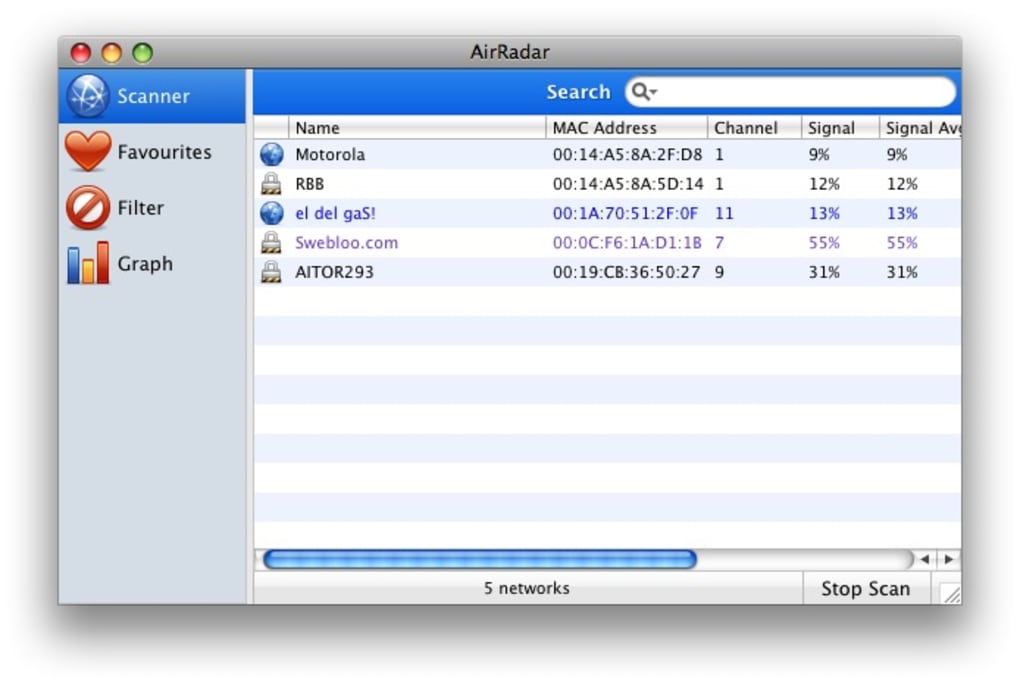
After launching, you’ll see three main tabs: Scanner, Favorites, and Filters. Press the Start Scan button on the Scanner tab to begin. Networks appear with columns for SSID, BSSID, channel, security type, signal strength, and noise level. Click any network to view detailed information, including encryption method and MAC address.
To add a network to your Favorites, select the entry, click the ★ icon, and confirm. Favorites appear in a separate tab for instant connection – just double‑click the entry and AirRadar will handle the authentication using the stored password from your Keychain.
If you wish to hide certain networks, switch to the Filters tab, click Add Filter, and specify criteria such as “Signal < 30 dB” or “SSID contains ‘Free‑WiFi’”. Saved filters automatically apply to each new scan, keeping your list tidy.
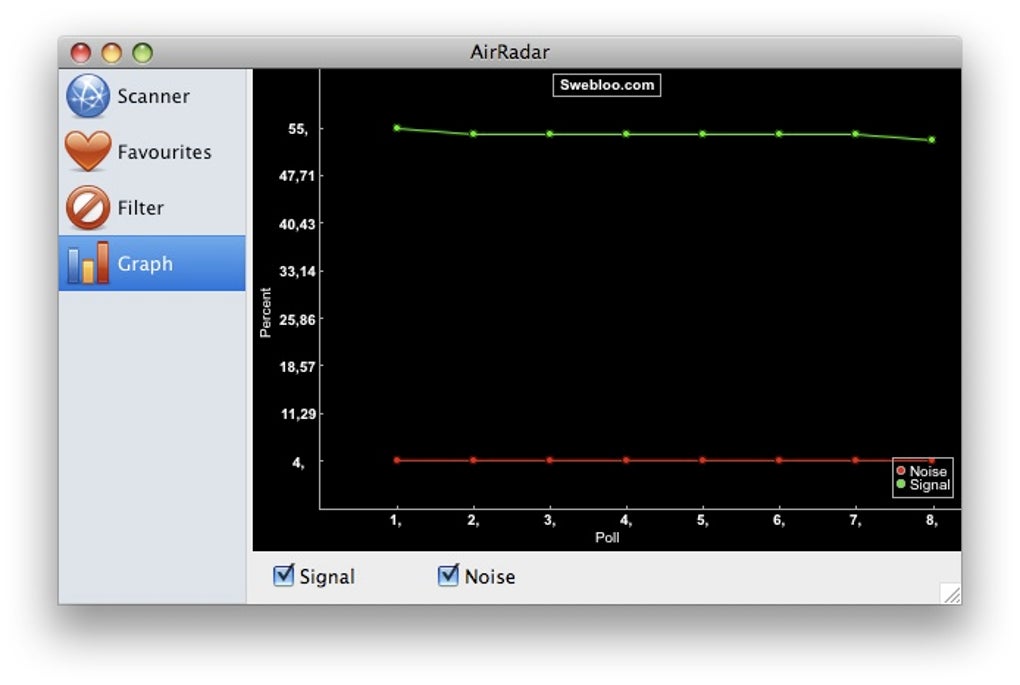
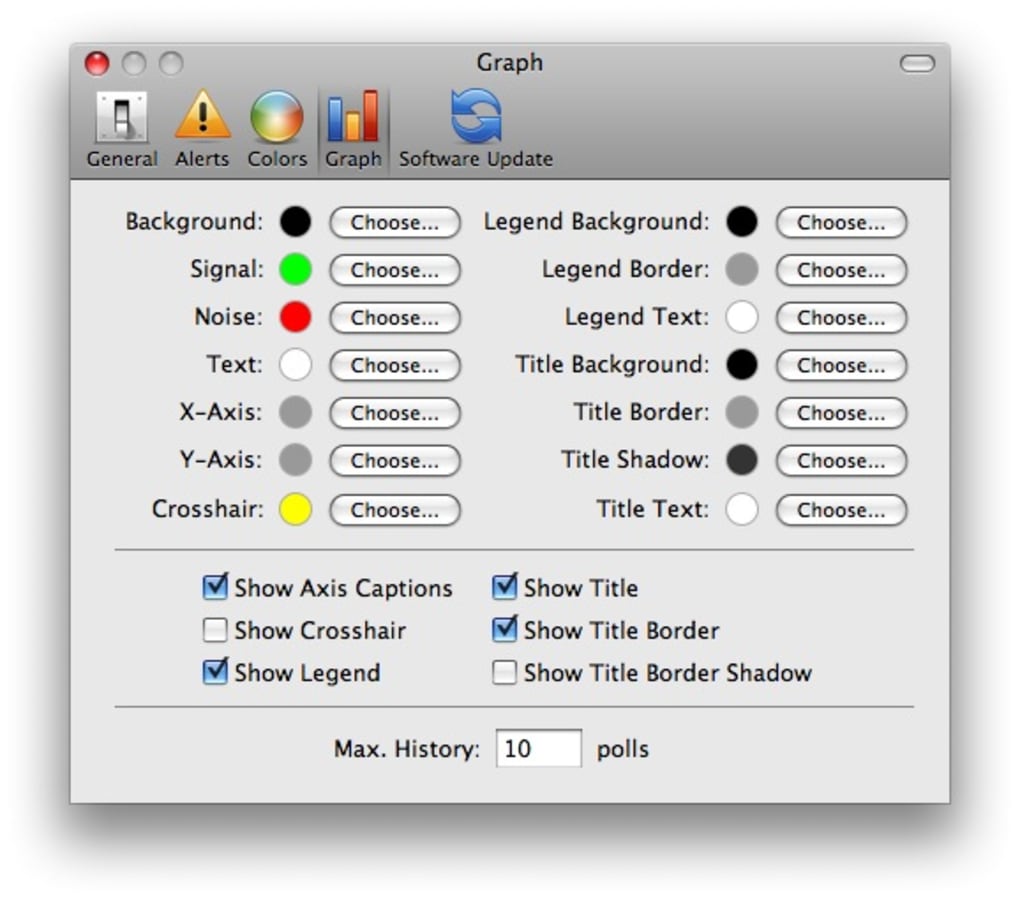
The graph panel at the bottom updates live, displaying signal (green) and noise (red) trends. Use this visual cue to decide which network offers the best stability, especially in crowded environments where signal strength alone can be misleading.
Pros, Cons, FAQ & Final Verdict
Pros
- Fast, real‑time scanning with clear UI.
- Signal and noise visualization helps pick the most reliable network.
- Favorites and filter system reduces clutter and speeds up connections.
- Supports hidden SSIDs and offers a searchable list.
- Lightweight and works on both Intel and Apple Silicon Macs.
- Secure password storage via macOS Keychain.
- Free version available with optional paid upgrade for advanced logging.
Cons
- No drag‑and‑drop support for moving networks between tabs; entries must be added manually.
- Limited to macOS – no Windows, Android, or iOS counterpart.
- Graph is basic; power users may desire more detailed analytics.
- Free version lacks export‑to‑CSV feature (available in Pro tier).
Frequently Asked Questions (FAQ)
Can AirRadar detect hidden Wi‑Fi networks?
Yes. By entering the exact SSID or MAC address in the search box, AirRadar can reveal networks that do not broadcast their name.
Is AirRadar safe to use on public Wi‑Fi?
Absolutely. AirRadar only reads broadcast information; it does not alter network settings or capture traffic. Passwords are stored securely in the macOS Keychain.
Do I need administrator rights to install AirRadar?
Installation to the Applications folder does not require admin rights, but enabling Wi‑Fi scanning may prompt for permission the first time you run the app.
How often does AirRadar receive updates?
The developer releases updates roughly every 2–3 months, with additional patches for security or macOS compatibility as needed.
Can I export scan results for reporting?
Export is available in the Pro version; the free edition shows results on‑screen only.
Conclusion & Call to Action
AirRadar delivers a focused, efficient solution for macOS users who need more insight than the default Airport utility provides. Its real‑time signal‑to‑noise graph, robust favorites system, and secure handling of credentials make it a trustworthy companion for everyday Wi‑Fi hunting. While the lack of drag‑and‑drop and the macOS‑only limitation keep it from being a universal tool, the overall performance, low resource usage, and regular updates justify its place in any Mac toolbox.
If you’re looking for a free, secure, and fast way to locate the strongest nearby Wi‑Fi network, download AirRadar now and start optimizing your wireless experience today. For power users who need CSV export and advanced logging, consider upgrading to the Pro license for a modest yearly fee.
Guides & Tutorials for AirRadar
How to install AirRadar
- Click the Preview / Download button above.
- Once redirected, accept the terms and click Install.
- Wait for the AirRadar download to finish on your device.
How to use AirRadar
This software is primarily used for its core features described above. Open the app after installation to explore its capabilities.
User Reviews for AirRadar 0
No reviews found





.webp)